How to Build B2B Landing Pages That Convert: 10 Practical Tips
A landing page can get hundreds of clicks and still produce very few qualified leads. The problem isn’t always the traffic. Sometimes, visitors can’t tell what makes the offer worth their time, the page doesn’t answer their questions, or the form asks for too much information too soon.
B2B buyers also tend to be more selective about where they share their information. They’re comparing solutions, evaluating costs, and considering how a purchase will affect their team. Your landing page needs to give them enough information and confidence to take the next step.
Luckily, most of this is a design and clarity problem, which means it’s fixable. In this guide, we’ll cover ten practical B2B landing page design tips to help you turn more campaign visitors into qualified leads.
TL;DR: Key Takeaways
- Effective B2B landing pages focus on one audience, one offer, and one clear call to action.
- Strong messaging, relevant visuals, and real customer proof help build buyer confidence.
- Keep forms simple, but collect enough information to identify qualified leads.
- Mobile usability, page speed, and ongoing testing all contribute to better performance.
- Focus on generating qualified business opportunities, not just increasing form submissions.
What Makes a B2B Landing Page Different?
Your homepage welcomes everyone: job seekers, partners, existing clients, and curious browsers. A landing page is built for one specific visitor arriving from one specific source with one specific need.
B2B buyer behavior adds another consideration. You’re rarely speaking to one decision-maker. According to Gartner’s B2B buying research, buying groups can include five to 16 people across several business functions. They want proof that you can deliver, clear value they can explain to their boss, low risk if things go wrong, and a reason to act now instead of next quarter.
There’s another challenge. One page often must satisfy a marketing manager who wants results, a finance lead who wants to know what it costs, and a technical reviewer who wants to know how it works. A good B2B landing page answers all three without turning into a wall of text.
Quick Answer: A B2B landing page converts business visitors into leads by presenting a relevant offer, communicating its value, and guiding visitors toward one primary action. It should also address the questions and concerns of different stakeholders involved in the buying decision.
10 Steps to Build B2B Landing Pages That Convert
The following landing page best practices cover everything from planning your message to improving performance after launch. Use them when building a new page or reviewing an existing campaign.
1. Start With One Clear Goal and One Audience
Before you pick colors or write a single line of copy, figure out what you want visitors to do. Book a demo? Request a quote? Download a guide? Schedule a consultation? Pick one primary goal and build the whole page around it.
Then get specific about who you’re talking to. A procurement manager researching industrial equipment needs different information than a marketing director comparing software platforms. Your campaign-specific landing page should reflect these differences.
Keep the messaging consistent with your traffic source, too. Someone clicking an ad about reducing manufacturing costs should arrive on a page discussing exactly this.
Here’s a useful question to ask: “If visitors remember only one thing about this page, what should it be?” Let this answer shape your content, visuals, and CTA.
For Inaba Denko America, Ready Artwork started with our 7-Step Website Blueprint to map the customer journey, identify buyer needs, and plan the site’s messaging and structure before development. This helped create a clearer experience for HVAC professionals researching products and requesting information.
See the Inaba Denko America Case Study
How It Works: An effective B2B landing page connects the campaign message, the buyer’s needs, and a clear call to action. When these elements align, visitors can understand the offer and decide whether to take the next step.
2. Write a Headline That Speaks to the Buyer’s Problem
Your landing page headline is one of the first things visitors see, so it needs to tell them right away what they’re getting and why they should care. Generic headlines make the reader do all the work.
- Instead of “Innovative Design Solutions,” try “Get Sales Decks Your Team Can Use in 48 Hours.”
- Instead of “Advanced Manufacturing Software,” try “Track Production Delays Before They Affect Delivery.”
- Instead of “Comprehensive Business Solutions,” try “Manage Your Inventory Across Multiple Locations.”
See the difference? The stronger versions promise a specific benefit instead of describing the business in broad terms. Just make sure any promise you make, like a 48-hour turnaround, is one your company can keep.
Use the subheadline to explain how your product or service provides this benefit.
Message match is just as important. Your landing page headline should follow naturally from the ad or email that brought visitors there. A consistent message reassures buyers they’ve reached the right place.
Common Mistake: A common landing page mistake is describing what a company does without explaining how it helps the buyer. Headlines that communicate a specific outcome make the offer more relevant to potential customers.
3. Lead With Benefits, Then Support Them With Features
Features tell people what your product does. Benefits tell them why they should care. Both belong on your page, but benefits should come first.
For example, instead of leading with “Automated reporting dashboard,” try “Spend less time building reports and more time acting on your data.” Then explain how the dashboard makes it possible.
The same principle applies to other features:
- Unlimited revisions: Get the final design right without additional revision fees.
- Real-time inventory tracking: Know what’s available before committing to delivery dates.
- Centralized project management: Keep your team updated without chasing information across multiple tools.
Turn these into short benefit blocks with simple icons or custom graphics so they’re easy to scan. Good B2B landing page copy always ties back to what buyers care about most: saving time, cutting costs, improving performance, and lowering risk.
Key Takeaway: B2B landing page copy should connect product features to measurable business benefits, such as saving time, reducing costs, or improving efficiency. This helps decision-makers understand the practical value of the offer.
4. Use Visual Hierarchy to Guide Visitors Toward the CTA
Good B2B landing page design makes the next step easy to find. Visitors shouldn’t have to hunt for it.
Start with a clear visual hierarchy. Your headline should be the most prominent text on the page, followed by a supporting copy and a CTA button.
A few tools help:
- Spacing separates sections, so the page doesn’t feel crowded.
- Consistent typography shows visitors what to read first, second, and third.
- Contrast pulls attention to the elements that matter most, especially your CTA.
Your above-the-fold content should communicate three things quickly: what you’re offering, why it matters, and what visitors should do next. The exact amount visible will vary by device.
Visuals are significant, too. Product screenshots, technical diagrams, application photography, and custom graphics give buyers a better sense of what they’re getting than generic stock images. Many B2B web design services combine UI/UX planning, custom design, and responsive development to support a clearer user experience.
A well-planned page should feel easy to follow without visitors having to think about the design itself.
For Action Stamping, a Southern California manufacturer, Ready Artwork produced original photography and video directly at its facility. This allowed the website to showcase actual manufacturing capabilities instead of relying on generic stock images.
See the Action Stamping Case Study
Tip: Visitors should be able to identify the offer, understand its main benefit, and locate the primary CTA quickly. Clear headings, consistent spacing, and contrasting buttons help guide attention toward the next step.
5. Build Credibility With Proof Buyers Can Verify
B2B buyers want evidence before they hand over their contact details. Client logos, testimonials, case studies, certifications, and project results help answer, “Can the company deliver what it promises?”
Specific evidence carries more weight than broad claims. For example, Ready Artwork’s MeeFog System case study reports a 77% increase in landing page conversions from its digital marketing program, which included industry-specific landing pages and targeted campaigns. It gives readers something concrete to evaluate.
Place social proof where it supports the buying decision. A short testimonial near a form can help address hesitation, while a case study summary can strengthen the benefits section.
Whenever you can, use named clients, verified results, and enough context to explain what was achieved. For technical B2B products, application examples and industry credentials can be especially persuasive.
Key Insight: When presenting performance metrics, explain the starting point, the strategy used, and the outcome achieved. This context helps B2B buyers assess whether the results are relevant to their own business goals.
6. Make Your Call to Action Clear and Specific
Visitors should never have to guess what happens when they click your button.
Compare “Submit” with “Request a Product Demo.” The first is generic. The second tells people exactly what they’re signing up for. Good CTA wording reflects both the offer and what the buyer wants, so a specific line like “Schedule My Demo” will almost always do more than a plain “Submit.”
For the CTA button design, use a contrasting color, readable text, and plenty of space around it so it’s easy to spot.
On longer pages, repeat the same primary CTA after major sections, so nobody must scroll back up when they’re ready.
You can also ease last-minute doubts with a short line under the button, like “No credit card required” or “Takes less than a minute.” Just make sure it’s true.
Quick Comparison: A generic CTA such as “Submit” provides little context about the outcome. A specific CTA such as “Request a Product Demo” tells visitors what to expect and makes the next step clearer.
7. Keep Your Lead Capture Forms Short and Relevant
Every extra question gives visitors one more reason to leave. The Nielsen Norman Group’s form usability recommendations support removing unnecessary fields and using a simple, single-column layout.
Ask for the information your sales team needs at the current stage. For an initial consultation, a name, business email, company, and short project description may be enough.
For more involved purchases, you might also need a budget range or project timeline.
Need more information? Try a multistep form, or use progressive profiling, which asks for extra details later in the relationship instead of all at once.
Keep field labels visible, write helpful error messages, and include a short privacy statement.
And remember, the goal isn’t just more submissions. Your form should also collect enough information to tell which leads are worth following up on.
Key Takeaway: An effective B2B lead capture form balances ease of completion with lead qualification. Ask for enough information to support meaningful follow-up without creating unnecessary barriers to conversion.
8. Remove Distractions That Compete With Your Goal
Your landing page doesn’t need everything your website offers. Full navigation menus, unrelated promotions, and competing offers just give visitors more ways to leave without converting.
Go through each section and ask: Does this help someone understand the offer, trust us, or take the next step? If not, think about cutting it.
For campaign pages, a simplified header and minimal footer generally work better than a full website navigation structure. Keep necessary privacy, accessibility, and company information available. A distraction-free landing page keeps visitors focused on one offer and one clear action.
Practical Tip: Use visual cues, such as whitespace and contrasting section backgrounds, to separate key information without adding more content. This creates a cleaner reading experience and helps visitors move naturally from the main offer to the conversion point.
9. Make Speed and Mobile Usability a Priority
Your landing page needs to work well on a phone, even if your buyers end up finishing their research on a desktop.
A few essentials:
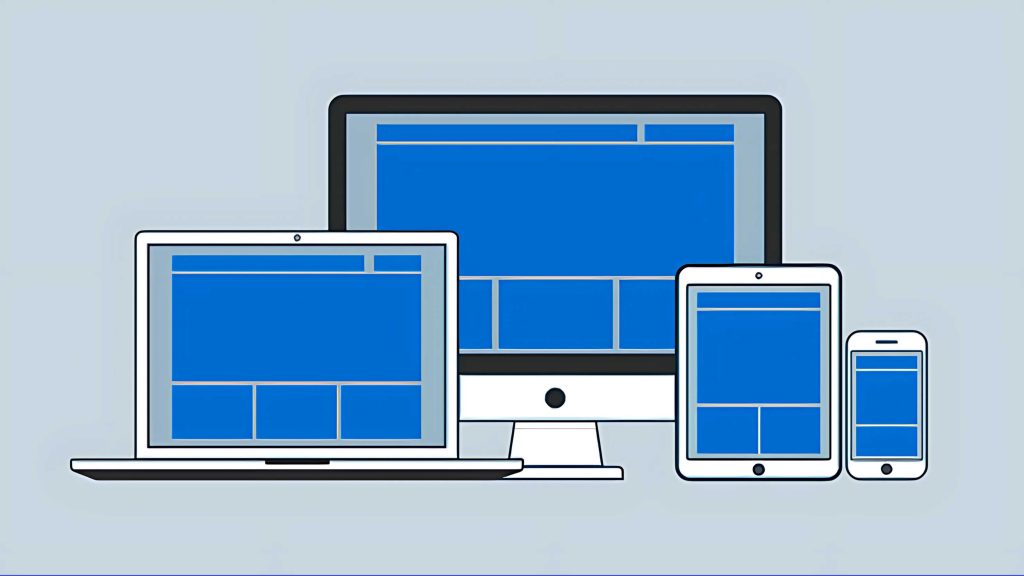
- Use responsive layouts that adapt to any screen.
- Choose fonts that are easy to read without zooming.
- Size images properly so they don’t slow things down
- Make buttons comfortable to tap
- Keep forms easy to fill out without endless scrolling or zooming.
Page load speed deserves attention, too. Google’s Core Web Vitals guidance recommends a Largest Contentful Paint of 2.5 seconds or less and an Interaction to Next Paint below 200 milliseconds for a good user experience.
Limit unnecessary scripts and test your mobile-responsive landing page using tools such as PageSpeed Insights.
Key Takeaway: Mobile usability also depends on consistency between the ad or link that brings visitors to the page and the experience they find there. Ensure the promised offer, messaging, and next step remain clear across devices.
10. Test, Measure and Keep Improving
Even high-converting landing pages get better with regular tweaks.
Start with one change at a time. With enough traffic, A/B testing can show you which version performs better. Try testing:
- A more specific headline
- A different CTA
- Fewer form fields
- Moving a testimonial closer to the conversion point
Don’t stop at form submissions, though. Look at conversion rate, bounce or engagement rate, scroll depth, cost per qualified lead, and how many inquiries turn into sales conversations.
Heatmaps and session recordings can show you where visitors hesitate, click, or give up. If your campaign doesn’t get much traffic, lean on sales feedback and usability reviews instead of drawing conclusions from tiny test samples.
For Sentran, a precision measurement equipment manufacturer, Ready Artwork combined website development with ongoing Google Ads management. The program achieved three times the conversions while reducing cost per conversion by 70%, demonstrating the importance of connecting the website experience with campaign performance.
Note: Measure lead quality, not just conversion volume. Fewer inquiries can deliver better results if they generate more sales-qualified leads.
Common B2B Landing Page Mistakes to Avoid
Even experienced teams fall into these traps:
- Sending paid traffic to the homepage. You pay for the click, then make visitors hunt for the offer.
- Using internal jargon. Your buyers don’t use your team’s terms, so write the way they talk.
- Using generic stock images. They make you look like everyone else.
- Adding too many competing CTAs. When everything is a priority, nothing is.
Another mistake is measuring success entirely through form submissions. A page generating hundreds of unqualified inquiries isn’t necessarily performing better than one generating fewer, stronger sales opportunities.
How Ready Artwork Can Help You Build Better B2B Landing Pages
If your marketing team has the campaign strategy but needs support with design and execution, Ready Artwork can help.
Our landing page design services bring together B2B marketing strategy, UI/UX design, custom website development, and digital advertising to support your lead generation goals.
Our team works with manufacturers, industrial companies, and other B2B organizations to develop clear messaging, consistent branding, and conversion-focused experiences. Whether you’re building a new campaign page or improving an existing one, we can help connect the design to the larger marketing strategy.
Explore our B2B project portfolio or learn about our Website Blueprint to see how we plan projects before development begins.
What To Expect: A B2B landing page project typically includes audience research, messaging, design, development, and post-launch performance evaluation.
Turn More Campaign Traffic Into Qualified Leads
Building B2B landing pages that convert comes down to a few core ideas: clarity, focus, proof, and ongoing testing. Speak to one audience about one goal. Lead with benefits. Back up your claims with real results. Make the next step easy to take, and keep refining the page after launch.
You don’t need to rebuild everything at once. Small changes, like a sharper headline or a shorter form, often bring noticeable gains.
Ready to turn more of your traffic into qualified leads? Book a call with Ready Artwork or browse our portfolio to see what’s possible.
Frequently Asked Questions
What Is a Good Conversion Rate for a B2B Landing Page?
According to Unbounce’s 2024 Conversion Benchmark Report, the median landing page conversion rate across all industries was 6.6%. However, results vary by industry, offer, and traffic source. For B2B campaigns, measure conversion rates alongside qualified leads and sales opportunities.
How Long Should a B2B Landing Page Be?
There isn’t one ideal length. A simple download offer may need only a few sections, while a high-value technical solution might require detailed specifications, testimonials, and case studies. Include enough information to support the decision without repeating yourself.
Should Every B2B Campaign Have Its Own Landing Page?
Not necessarily every individual ad, but distinct audiences and offers generally benefit from dedicated landing pages. A campaign targeting engineers should communicate differently from one targeting financial decision-makers, even when both promote the same product.
How Frequently Should I Test My Landing Page?
Review performance regularly, particularly after launching a new campaign or changing your audience. Run A/B tests when you have enough traffic and conversions to compare results reliably. For lower-traffic pages, prioritize usability feedback, form performance, and lead quality.